Fastro POS Features
Fastro POS gives you everything you need to manage your points of sale efficiently. This advanced POS system offers a cloud cashier, access from any device, loyalty points, coupons, table management, chef screen, advanced analytics and reports, and more. Use Fastro POS to boost your business efficiency and increase your sales.
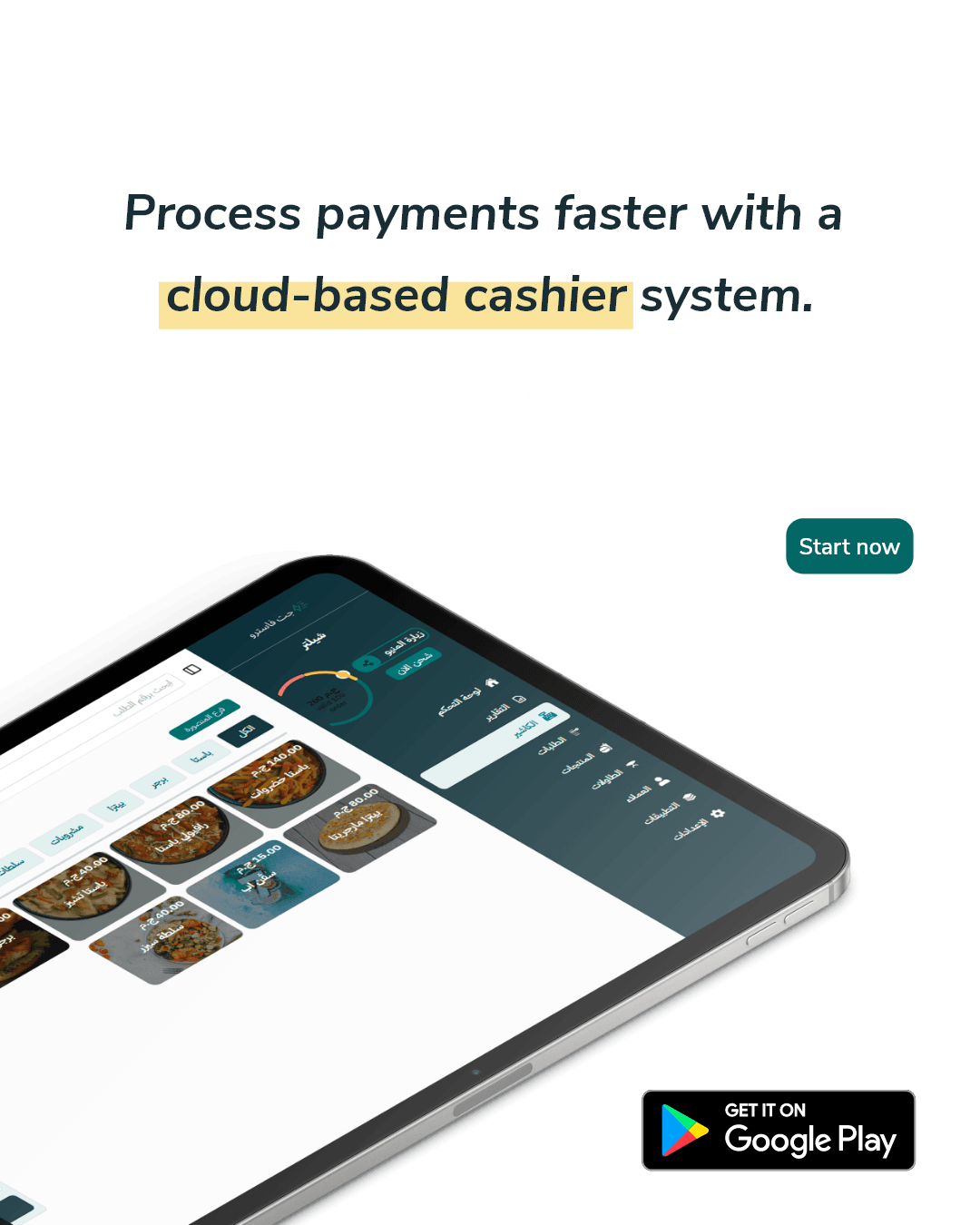
Cloud Cashier - The Foundation of Modern POS
Fastro POS provides an advanced cloud cashier with access from anywhere and any device. All operations are securely stored in the cloud.
- Cloud Cashier: All transaction records are stored in the cloud.
- Works on Any Device: Use via web browser or mobile app.
- Flexible Operation: Switch between devices without losing data.
Loyalty Points & Coupons - Essential POS Features
The modern POS system includes customizable loyalty programs and coupons. Retain your customers with effective loyalty programs and smart coupons.
- Loyalty Points: Customers earn points with every order, with the ability to enable or disable as needed.
- Customizable Point Ratio: Set point conversion according to your strategy (how many = how much).
- Custom Coupons: Create coupons for specific categories or products.
- Usage Tracking: Reports on coupon usage and their impact on sales.

Order & Table Management - Full Control with POS
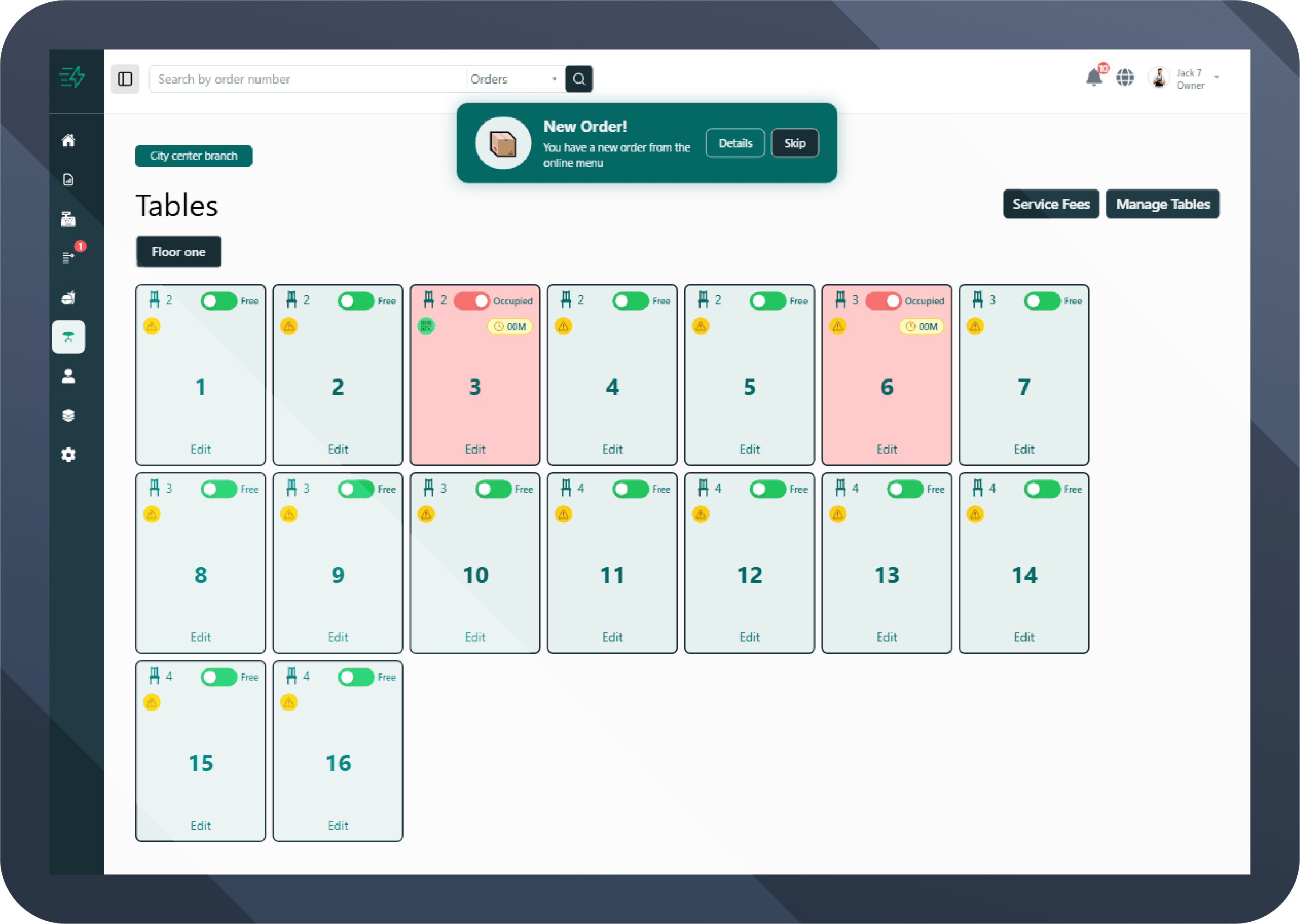
Fastro POS supports all order and table types. Whether dine-in, delivery, or pickup, the system covers every scenario.
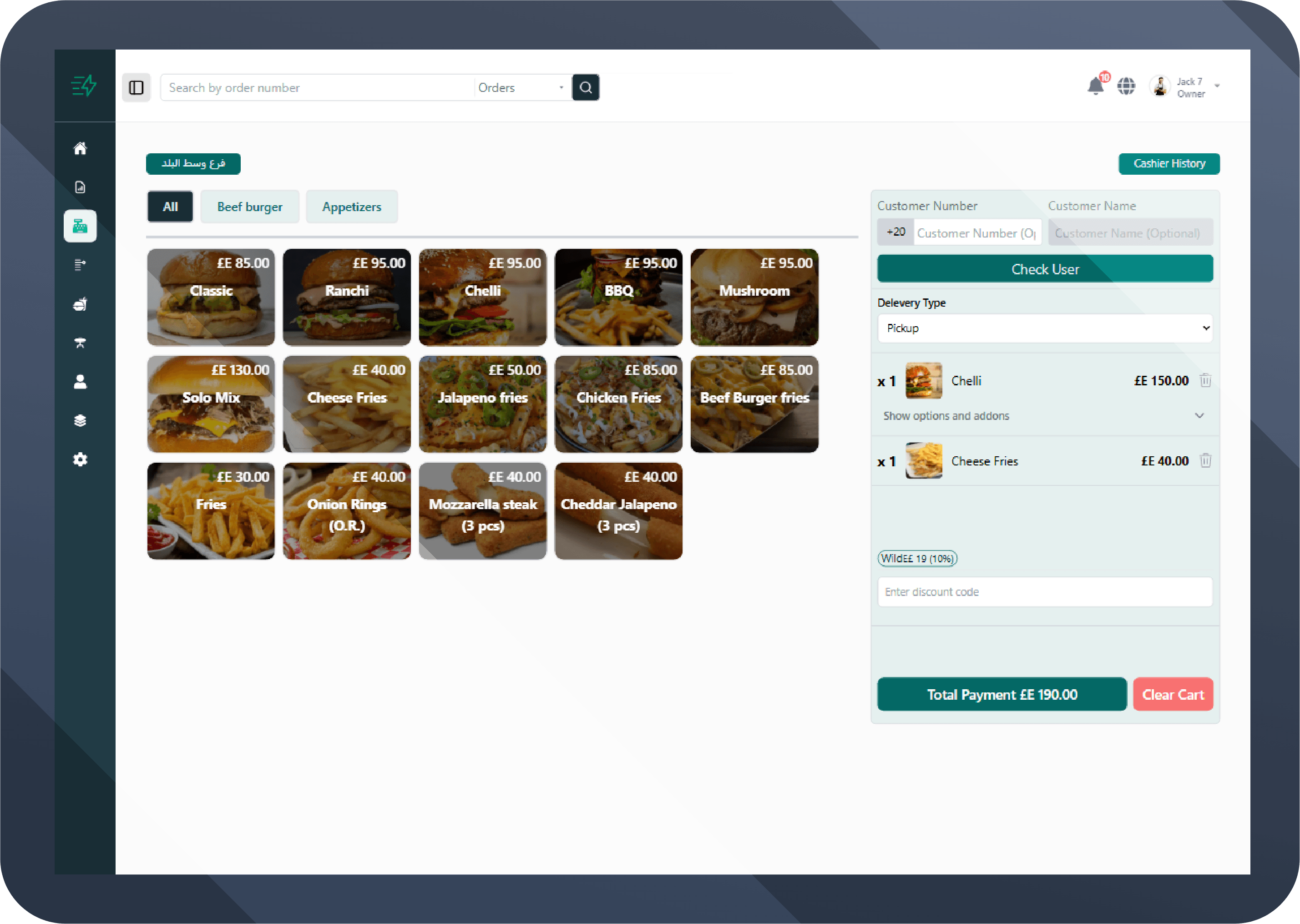
- Order Type: Pickup, delivery, or dine-in.
- Table View: Available tables are shown for dine-in orders.
- Delivery Addresses: Customer's saved address appears in the eMenu with map location.
Invoice & Branch Management - The Heart of POS
Fastro POS gives you full control over invoices and branches with smart automation and security rules.
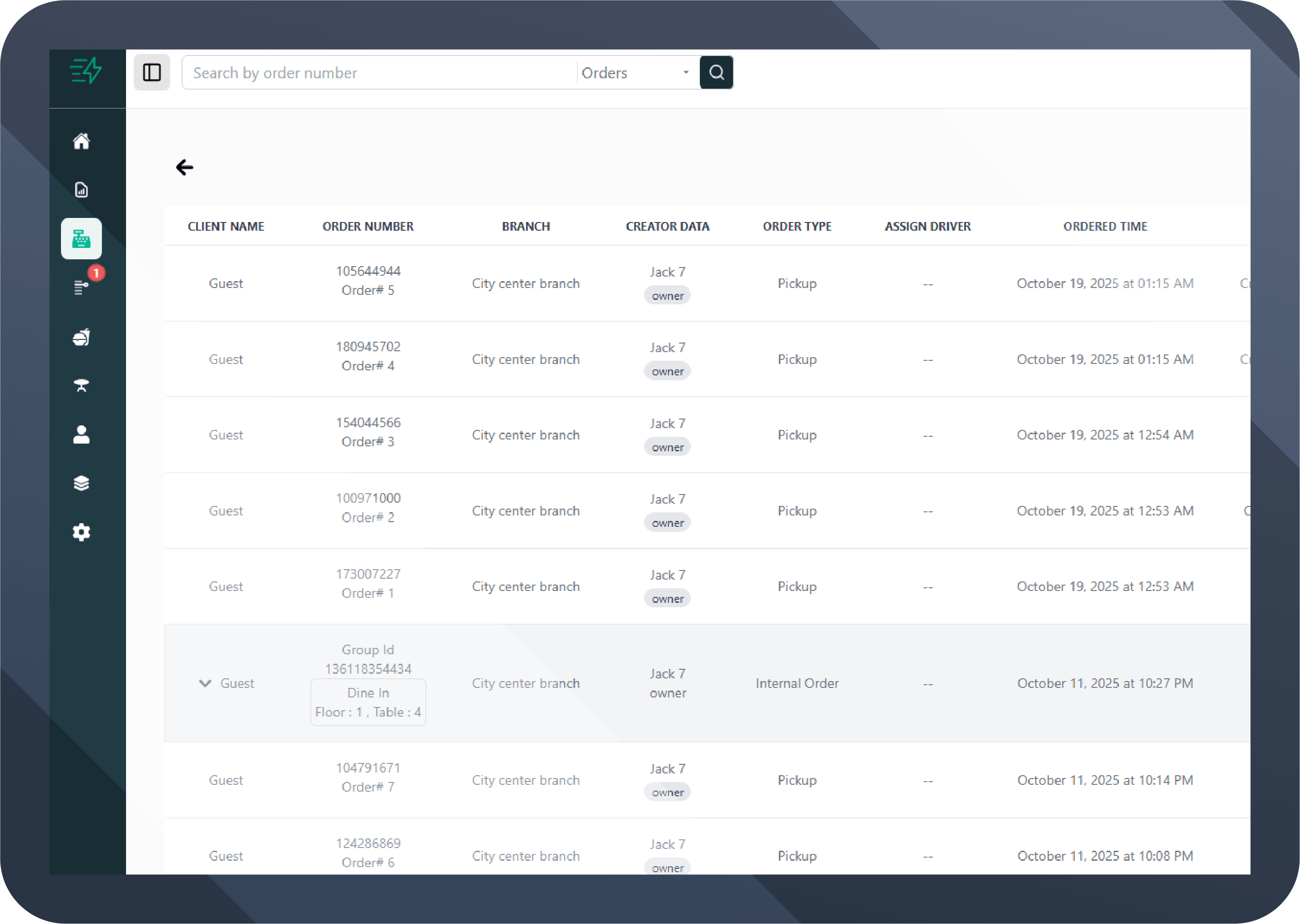
- Auto Invoice Settlement: Any invoice is automatically marked as paid after two hours (customizable).
- Cancel Invoice: Cancel any invoice within 24 hours of issuance.
- Select Branch: Easily choose the issuing branch for the invoice.
- Product Filtering: Quickly search for products within the cashier.
Ease of Use & Speed - POS Design Advantages
Fast and simple interface reduces training time and speeds up invoice processing. Fastro POS is designed to be user-friendly and highly responsive.
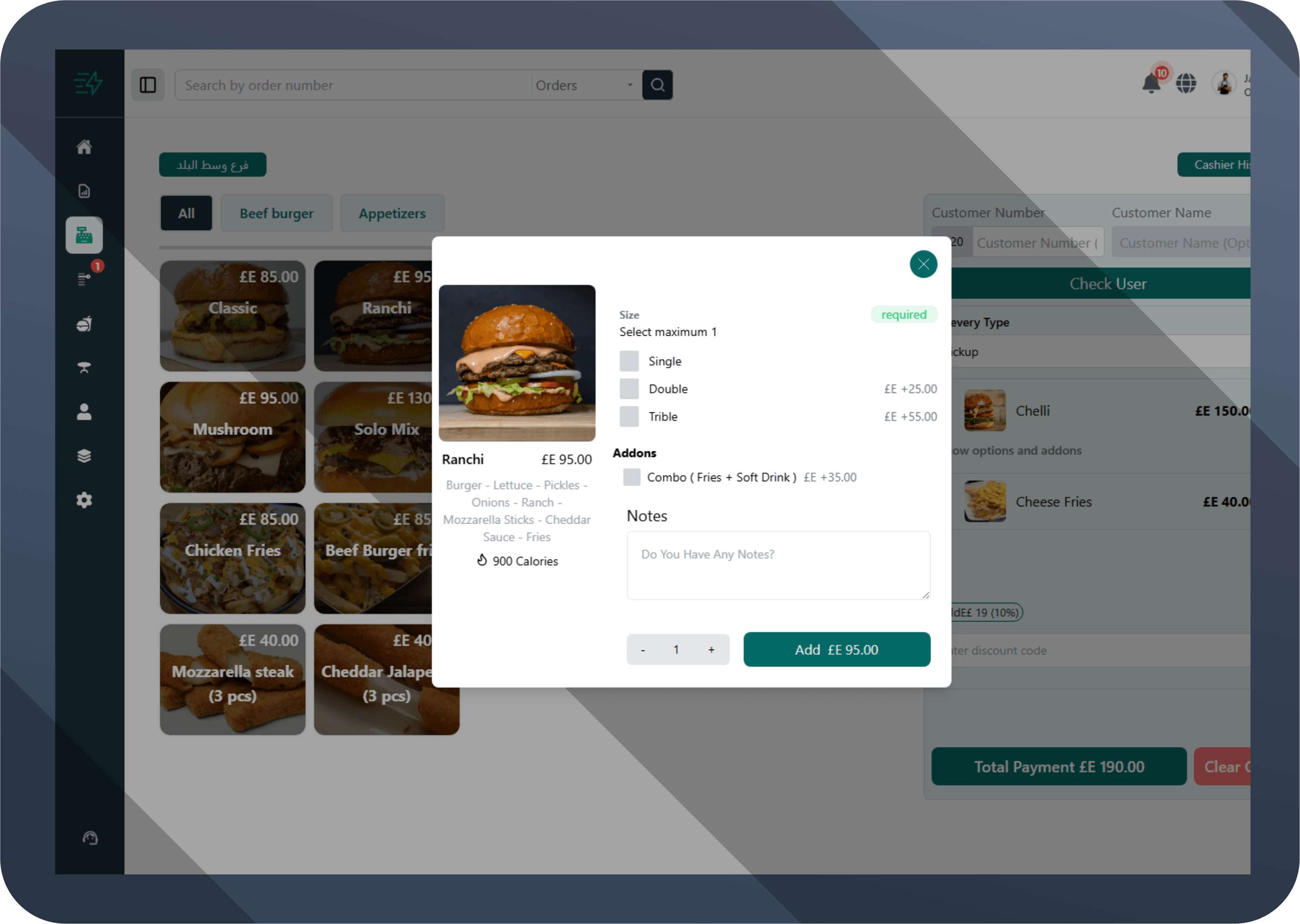
- Easy to Use: Intuitive cashier dashboard requires minimal training.
- Speed: Fast performance for issuing and printing invoices and handling orders.
- Modern Design: Attractive, easy-to-navigate interface enhances staff and customer experience.
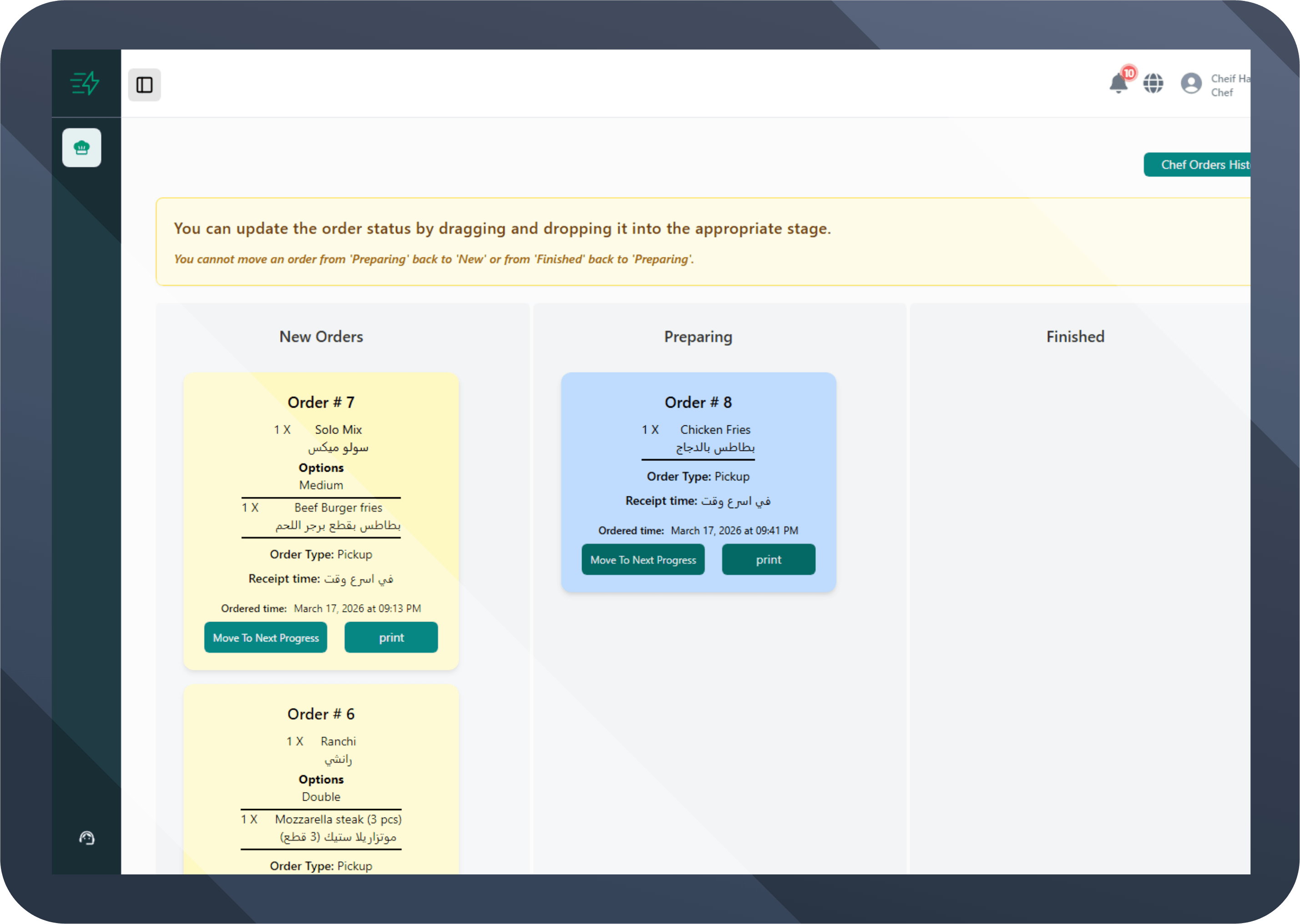
Chef Screen - Advanced POS Feature
The chef screen in Fastro POS is a dedicated interface for chefs to view orders that need to be prepared. Any order from Fastro POS or the eMenu is automatically sent to the chef screen when the order status is changed to "In Preparation".
- Auto Update: When the order status is changed by the cashier or via the eMenu, it appears instantly on the chef screen without reloading the page.
- Order Filtering: View orders by preparation type (urgent, normal, custom), table, or order number.
- Order Confirmation: Chefs can mark dishes as ready and track preparation time to improve performance.
Employee Permissions in POS
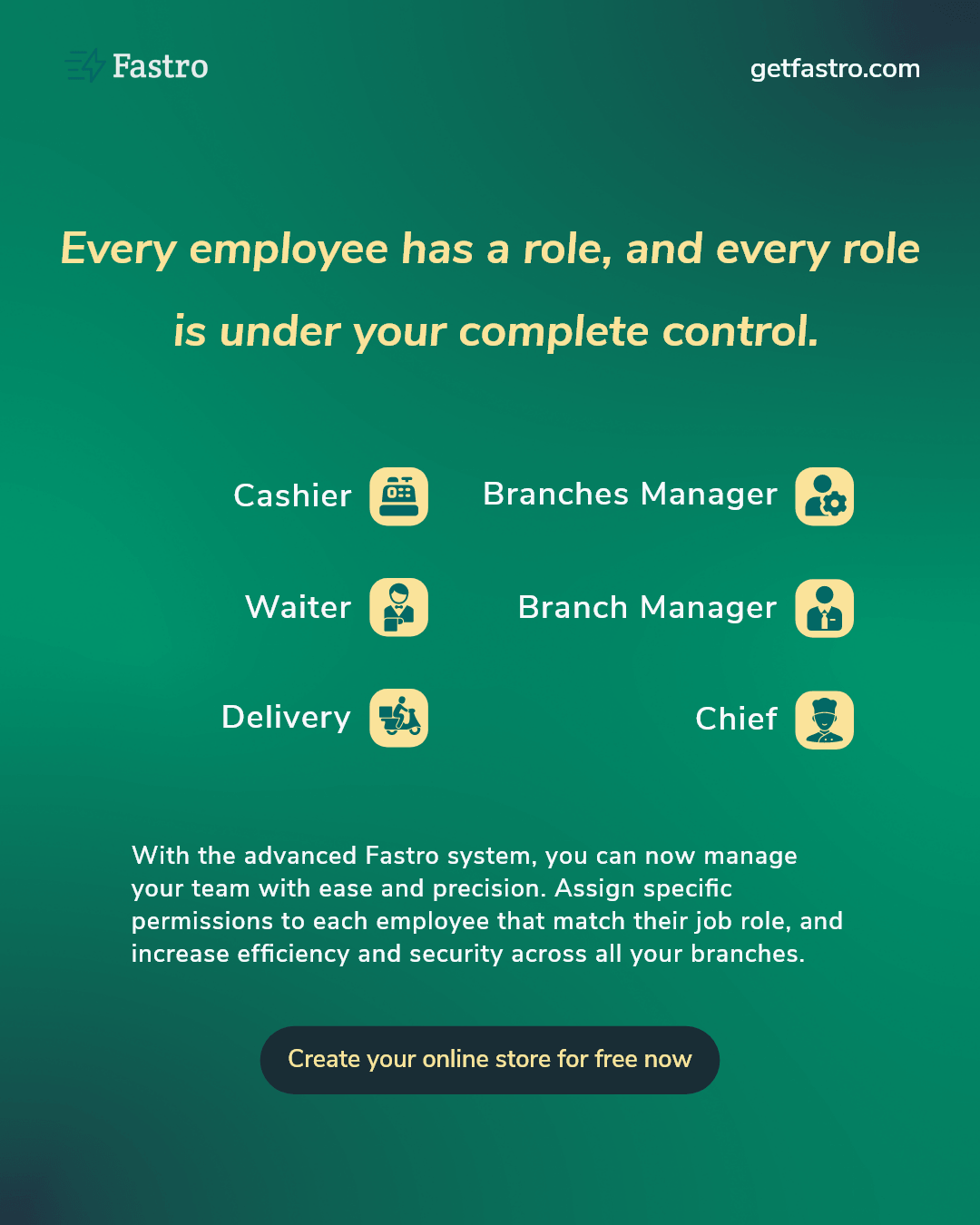
Fastro POS supports a flexible permissions system, allowing you to create multiple account types with custom permissions for each role in the restaurant. Full control over who can access Fastro POS and what they can do.
- Owner Account: Full permissions (view all branches, account settings, manage plans and invoices, security settings).
- Branch Manager (Central): Manage all branches, generate network-wide reports, assign branch managers.
- Branch Manager: Permissions to manage branch operations (products, offers, staff schedules, branch reports).
- Cashier Account: Issue and edit invoices, retrieve orders, process payments (no admin permissions).
- Waiter Account: Create orders from the table, send orders to the kitchen, view order status, no access to invoice settings.
- Chef Account: Direct access to the chef screen to view preparation orders, update dish statuses, and track preparation time.
- Delivery Account: View assigned delivery orders, update delivery status, and track addresses (no financial or admin permissions).
Permissions for each role can be adjusted from the admin dashboard, specifying whether they can add/edit/delete or view only.
Frequently Asked Questions
What is a POS system for restaurants?

A POS system is software that brings together all sales and payment operations in one place, making it easy for restaurant owners to track orders and accounts without any hassle.
Does the POS system work on mobile or tablet?
Yes, Fastro POS works on mobile, tablet, and computer, making it easy to use anywhere in the restaurant.
Is the POS system suitable for small restaurants?
Absolutely, the POS is suitable for any restaurant, large or small, as it reduces errors, saves time, and makes it easy to track everything in the restaurant.
Can I add the full menu to the POS system?
Yes, you can add all items, prices, and extras, and also edit them at any time easily.
Is there technical support for the POS if a problem occurs?
Yes, Fastro provides fast technical support to solve any problem immediately and keep your business running without interruption. You can open support tickets or contact the support team via WhatsApp.
Does the POS help reduce errors?
Absolutely, because it records orders accurately and prevents mistakes between the cashier and the kitchen or in accounts.
Fastro POS System is more than just invoicing; it's a complete, advanced solution for everything your restaurant needs. Fastro POS supports invoice and sales management, reporting, analytics, staff, and chef screen. Take your operational efficiency to the next level with Fastro's smart cloud POS.
Start Your 14-Day Free Trial